OpenCode setup guide
Provider config in opencode.json, model IDs per plan, and how to check common errors.
OpenCode 2 rewrote the entire CLI around a shared local service for the terminal, web, and desktop, and it runs noticeably smoother. But developers connecting a Claude subscription keep running into the same intermittent 400 error.
OpenCode 2 launched in mid-October. Rather than treating it as a routine version bump, the maintainers tore down the underlying architecture and rebuilt it from scratch.
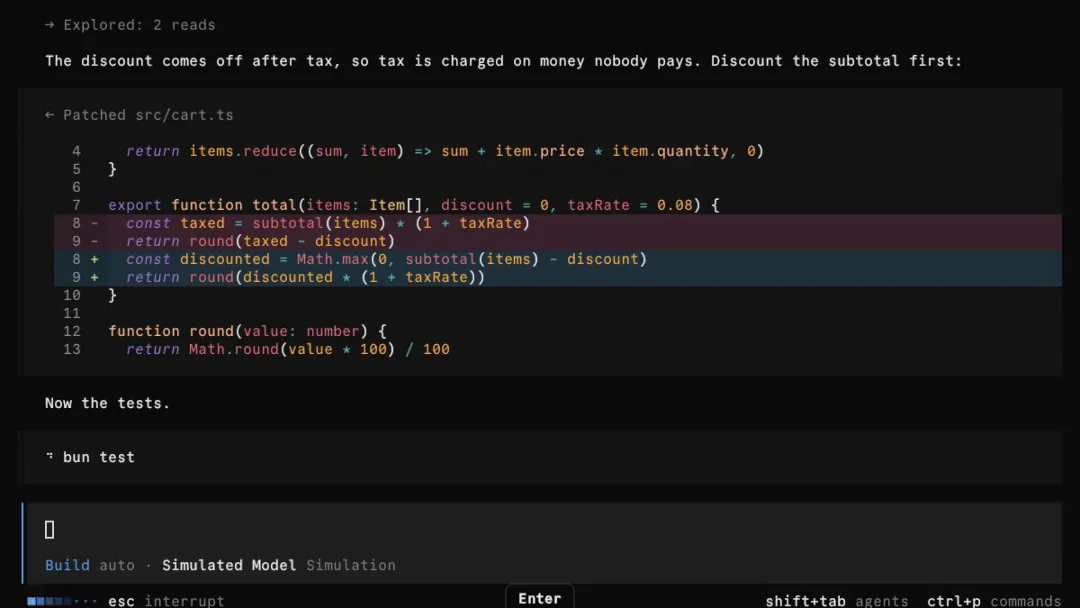
The centerpiece is a single background service shared across interfaces. In the 1.x days, the terminal UI, web app, and desktop client each ran in their own process with isolated sessions. In 2.0, a machine runs one local server, and the terminal, web, and desktop interfaces all connect to it as clients.
 X · @CamilleRouxTUI, web et desktop sur un même service localWatch on X
Automation scripts can talk to that same backend directly through @opencode/client, and scheduled jobs hit the same entry point via opencode api. When you need to hand off work across devices, opencode pair exposes the local service without manual port forwarding.
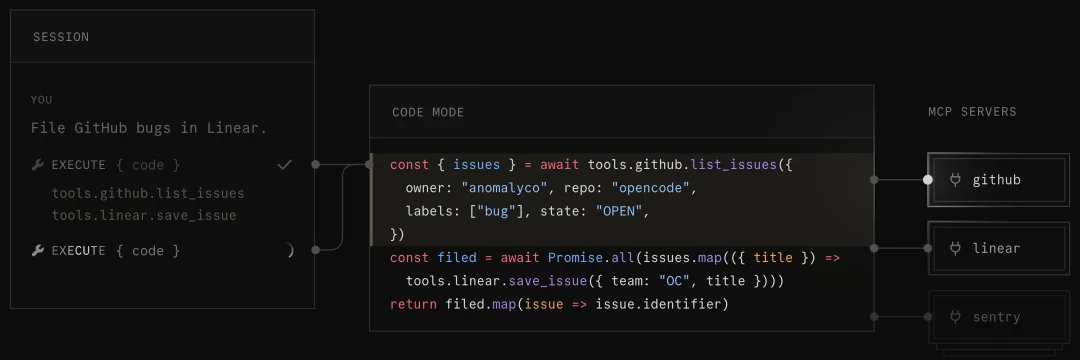
Another major shift is Code Mode, now enabled by default. Previously, attaching a handful of MCP servers meant dumping dozens of tool JSON schemas straight into the context window, eating up tokens and making tool-calling errors more likely. Version 2.0 wraps those tools into callable JavaScript functions. When the model needs to chain several tools together, it writes a short script and runs it in a sandbox in one pass instead of ping-ponging back and forth across multiple turns.
Upgrades work differently, too. Starting in 1.19.0, the client dropped silent auto-updates; crossing over to 2.0 requires manually running /update or opencode upgrade --major. Because the plugin API and server interfaces were completely redesigned, 1.x plugins break on upgrade and have to be rewritten against the new interfaces. Putting the upgrade decision back in the user's hands at least keeps a morning deadline from being derailed by a surprise broken environment.
In day-to-day use, response times and switching between interfaces feel much cleaner than in 1.x. Yet plenty of developers who upgraded and kept logging in with their Claude subscriptions have started running into a recurring 400 error.
The error message itself is brief:
400 Third-party apps now draw from extra usage, not plan limits.Ask your workspace admin to add more and keep going.If you have been routing a Claude subscription through external tools this year, that line will look familiar. Over the past six months, Anthropic has tightened the rules on subscription usage leaking into outside clients in several stages.
The first cut came on April 4. Starting that day, calls from third-party apps were carved out of Pro and Max plan limits. Subscription usage was reserved for Claude.ai, the official Claude Code client, and Cowork; other tools could still authenticate, but their traffic was billed at standard API rates against extra usage (your prepaid balance). If an account has extra usage turned off, or its balance sits at zero, the request gets blocked with the 400 error above.
“Starting tomorrow at 12pm PT, Claude subscriptions will no longer cover usage on third-party tools like OpenClaw. You can still use these tools with your Claude login via extra usage bundles, or with a Claude API key.”
Boris Cherny, who wrote Claude Code, on Threads that day.
On June 15, Anthropic planned to move Agent SDK and claude -p calls into a monthly credit pool as well, before pausing the change the same day. That left an awkward middle ground: traffic taking the genuine Claude Code path still counts against plan limits, while anything classified as a third-party app gets shunted to extra usage.
What trips up OpenCode users is how that classification happens. Packet captures compared across the community show that upstream isn't just inspecting the User-Agent or request headers. It inspects the system prompt inside the request body.
That explains why the failure looks so erratic. Upstream isn't banning the account at the door; it judges each request by what's inside. An exhausted quota or an expired credential would fail every request, not return a 200 and then demand extra usage on the very next one.
On November 12, two of our sites raised the same alert one after another. The gateway logs on both told the same story: within one conversation on one account, short requests passed, while the main request (24 KB on one site, 40 KB on the other) hit this 400.
We reproduced it locally: OpenCode 2.2.7 logged in via a subscription, a logging proxy between the client and upstream, and one casual prompt. The proxy captured four back-to-back requests:
| Request | Body | Result |
|---|---|---|
| Session title | 2.3 KB, no tools | 200 |
| Main request | 47 KB, 4 system prompt blocks, 13 tools | 400 |
| Title retry | 2.3 KB | 200 |
| Main request retry | 47 KB | 400 |
We then locked the account and model and stripped the 47 KB main request piece by piece to see when upstream would let it through:
| Modification | Result |
|---|---|
| Sent as-is | 400 |
Remove entire system field | 200 |
Remove all tools, keep system | 400 |
Keep only the 1.4 KB base prompt in system | 200 |
Keep only the 23.8 KB Code Mode block in system | 400 |
| Keep Code Mode, strip the trailing environment block | 200 |
| Keep 160 / 180 / 220 characters of the trailing environment block | 200 |
| Keep 240 characters of the trailing environment block | 400 |
Replace with 1,000 x characters or 240 characters of plain English | 200 |
That narrows it down considerably. Total payload size doesn't matter, and neither does the number of attached tools. The trigger sits inside the "today's date + runtime environment" template at the very end of the system prompt. Nor is it a simple keyword blocklist: replacing that block with 1,000 x characters or 240 characters of ordinary English prose returns 200. Keeping the original structure intact, 220 characters pass while 240 characters get rejected; we didn't bisect the 20-character gap any further.
This also explains why the title generation request succeeds every time: its system field only carries a short summarization instruction, without the trailing runtime environment block. Only the main conversation turn appends the working directory, OS platform, and current date.
Developers investigating the issue in the community arrived at the same finding. In a Manifest discussion thread, users posted packet captures showing that upstream filters on the system prompt; similar reports have surfaced in the issue trackers for Claude Code itself and pi.
Before you start tearing up your config, take a minute to confirm which problem you are actually looking at:
login or exhausted quota: check your account status at claude.ai/settings/usage first, because that is a separate issue.Once you rule out account-level issues, there are really only three paths forward. Pick whichever trade-off you can live with long term.
The cleanest option is switching to an official API key. Requests go through the standard endpoint, where client classification isn't a factor. The downside is losing the flat-rate subscription discount: you pay full per-token rates for everything you run, and agentic coding workloads can run up a bill quickly.
If you don't want to give up subscription pricing, you can enable extra usage in your Claude settings and top up a balance. Requests stop failing, but any traffic flagged as a third-party client draws from that prepaid balance at standard API rates—meaning you end up paying for a monthly subscription and metered usage at the same time.
The third option is routing through a gateway that handles compatibility in the forwarding layer, so you don't have to modify the client or spend your time running packet captures every time upstream adjusts its rules. The catch is that the upstream classifier is a moving target, so the gateway has to maintain that compatibility continuously. That is the route we take at CodingPass: connecting your client sidesteps this 400 error while keeping your model calls and limits metered against your plan's dollar allowance.
One final caveat: upstream relies on a dynamically updated classifier rather than a static, documented protocol. Today it trips on a 200-plus-character environment block; tomorrow it may key off a different signature. If you want to keep working in OpenCode 2 without chasing those changes yourself, follow the OpenCode setup guide and point your baseURL at CodingPass. If a request through CodingPass still fails, the error reference lists every status our gateway returns and what to do about it.
Keep using OpenCode 2. Point your Base URL at CodingPass, let us handle this 400, pay for what you use, and cancel anytime.