OpenCode setup guide
Three-step setup, default models for each plan, and allowances for open-weight models.
OpenCode 2 changed how custom providers are configured, and the custom provider form in the desktop settings will not save. This guide connects CodingPass with a single opencode.jsonc.
This guide connects CodingPass to OpenCode 2: one key for Claude, GPT, and open-weight models like DeepSeek and Kimi, sharing a single config between the CLI and desktop app. If you only want the step-by-step reference, the OpenCode setup guide covers that; this post also explains what OpenCode 2 is.
OpenCode is an open-source coding agent hosted at anomalyco/opencode on GitHub under the MIT license. It is not tied to a single model vendor: it ships a set of free models that work without an account, and also connects to APIs from OpenAI, Anthropic, xAI, and others, or existing ChatGPT Plus / Pro and GitHub Copilot subscriptions. OpenCode itself is free; any usage charges come from the provider you connect.
There are several entry points:
opencode pair), mobile apps, and an SDKStarting with OpenCode 2, a shared background service runs by default and all of these clients connect to it—so a session started in the terminal stays visible in the desktop app. As of November 18, the latest release is v2.3.2.
Once connected to CodingPass, a group of CodingPass models appears in your model list. On November 18, GET https://codingpass.ai/v1/models returned 26 models across Claude (Sonnet 5.5, Opus 5.5, Fable 5.2, and more), GPT (GPT-6.2 Sol, GPT-6.1 Terra, and more), Gemini, Grok, and open-weight models including DeepSeek, Kimi, GLM, Qwen, MiniMax, MiMo, and Hy4. Check the Models page to see which models your plan includes.
opencode --version outputs v2.x.Save the following to ~/.config/opencode/opencode.jsonc. Claude and open-weight models use the Anthropic package, while GPT uses the Responses package:
{ "$schema": "https://opencode.ai/config.json", "model": "codingpass/claude-sonnet-5-5", "providers": { "codingpass": { "name": "CodingPass", "env": ["CODINGPASS_API_KEY"], "package": "@opencode/ai/providers/anthropic", "settings": { "baseURL": "https://codingpass.ai/v1" }, "models": { "claude-sonnet-5-5": { "name": "Claude Sonnet 5.5" }, "claude-opus-5-5": { "name": "Claude Opus 5.5" }, "deepseek-v4.1-flash": { "name": "DeepSeek V4.1 Flash" }, "kimi-k2.7-code": { "name": "Kimi K2.7 Code" } } }, "codingpass-openai": { "name": "CodingPass (OpenAI)", "env": ["CODINGPASS_API_KEY"], "package": "@opencode/ai/providers/openai-compatible/responses", "settings": { "baseURL": "https://codingpass.ai/v1" }, "models": { "gpt-6.2-sol": { "name": "GPT-6.2 Sol" }, "gpt-6.1-terra": { "name": "GPT-6.1 Terra" } } } }}baseURL must include /v1 or requests will return 404. Add or remove entries under models to match your plan—look up exact model IDs on the Models page.
opencode service set env CODINGPASS_API_KEY cp-live-…This stores the key in the OpenCode background service environment, so both the CLI and the desktop app can read it.
Restart OpenCode, run /models, select Claude Sonnet 5.5 under CodingPass, and send any message. If it replies, you are connected.
opencode/models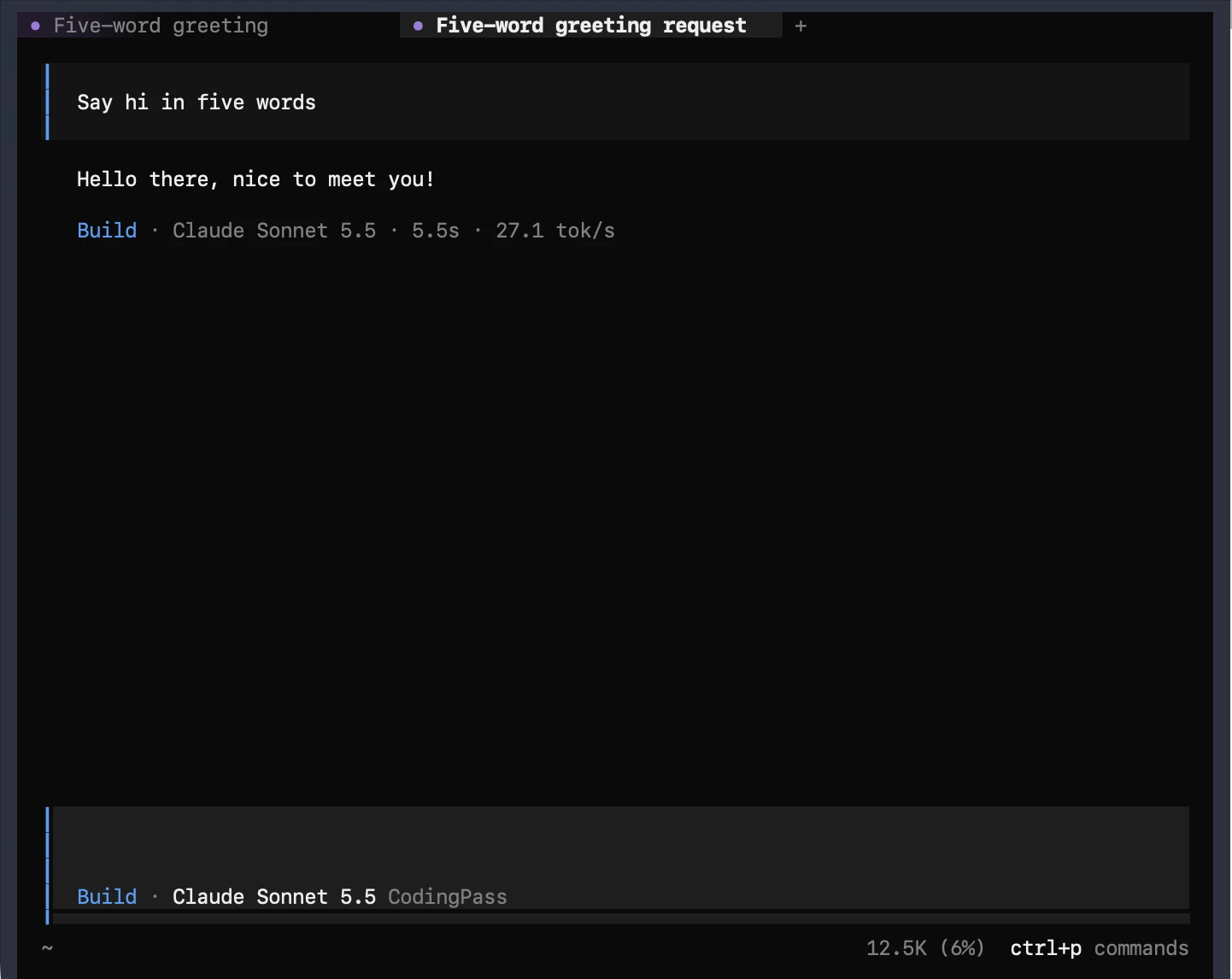
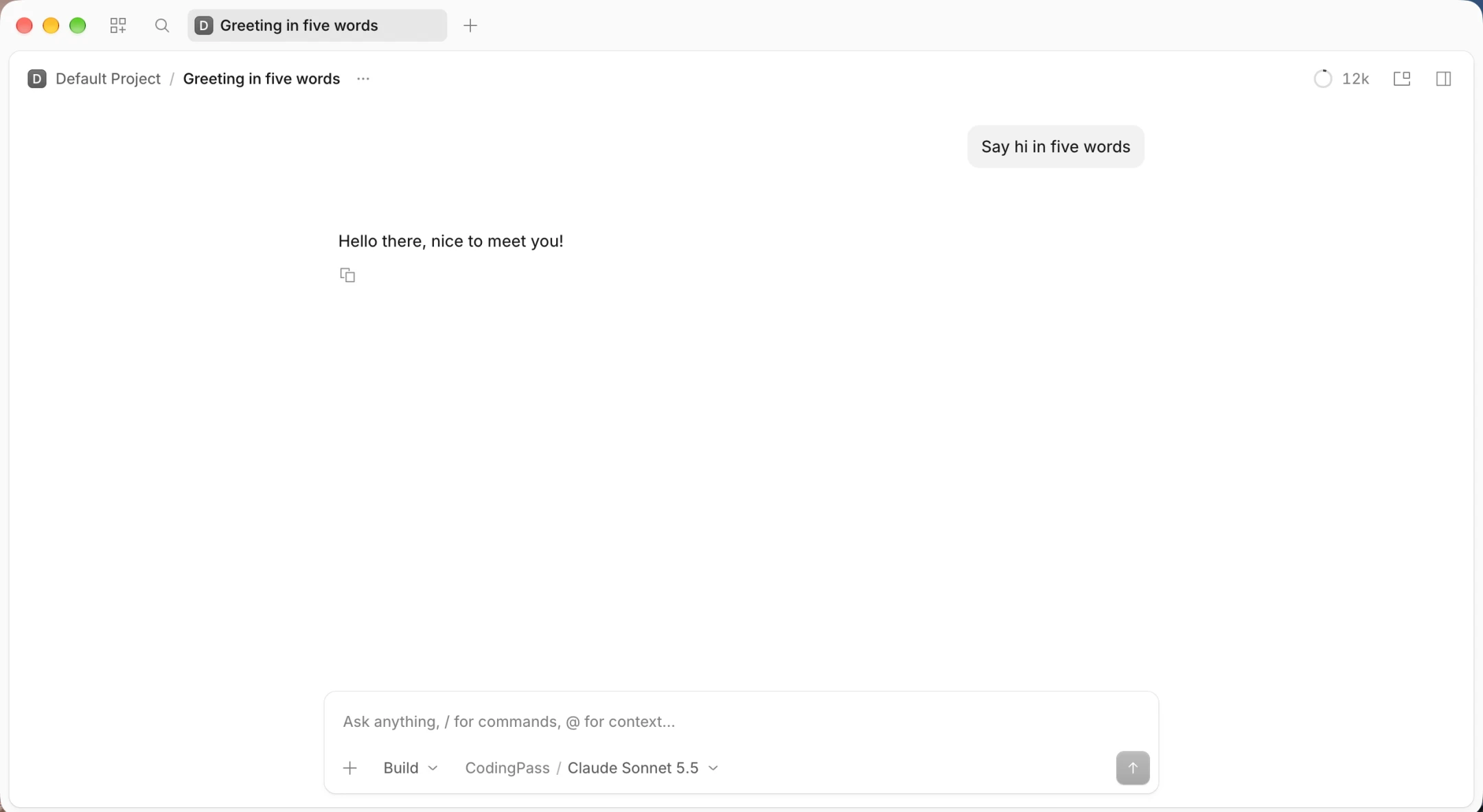
Download the desktop app from opencode.ai/desktop. It reads the same config file and key with no extra setup—just pick a CodingPass model from the model selector next to the input box.
One opencode.jsonc puts Claude, GPT and open-weight models in /models. No surprise charges, cancel anytime.