Codex setup guide
The provider block, default models per plan, and setup in three steps.
Codex reads one config file from all three places it runs. Add a provider block and set your key to use it across the terminal, IDE and desktop app.
The Codex CLI in your terminal, the Codex extension in your editor, and Codex inside the ChatGPT desktop app all read the same ~/.codex/config.toml. Add a CodingPass provider block there and all three entry points can use CodingPass models. For the quick reference only, see the Codex setup guide.
Codex is OpenAI's coding agent. It reads code in your project directory, edits files, and runs commands inside a sandbox—pausing for your approval whenever an action crosses the sandbox boundary. Beyond interactive coding, /review reviews diffs and codex exec runs non-interactive tasks in scripts and CI. The CLI is open-source.
There are three entry points:
codex command, installed via npm.ChatGPT.app on macOS, still identified internally as com.openai.codex). The app ships its own codex binary, whose version may differ from the CLI you installed.All three run locally and use model_provider in config.toml to decide where model requests go. Cloud Codex tasks do not read this file and cannot use a custom provider.
Codex's built-in catalog lists only OpenAI models. Once connected to CodingPass, Go defaults to GPT-6.1 Terra, while Plus and Pro unlock GPT-6.2 Sol. The same key can also call Claude, Gemini, and other models—Codex just prints a warning line because it lacks metadata for them.
npm install -g @openai/codex@latest. If you use the desktop app, install the ChatGPT desktop app.cp-live-.Add the following block to ~/.codex/config.toml (create the file if it does not exist):
model = "gpt-6.1-terra"model_provider = "codingpass" [model_providers.codingpass]name = "codingpass"base_url = "https://codingpass.ai/v1"env_key = "CODINGPASS_API_KEY"wire_api = "responses"base_url must end with /v1 or requests will return 404. Use gpt-6.1-terra on Go; Plus and Pro can switch model to gpt-6.2-sol.
env_key names an environment variable, not the key itself. Export the key in your shell startup file (~/.zshrc for zsh, ~/.bashrc for bash) and open a new terminal:
export CODINGPASS_API_KEY="cp-live-…"Inside your project directory, run codex. If the status bar shows GPT-6.1 Terra and a message gets a reply, you are connected.
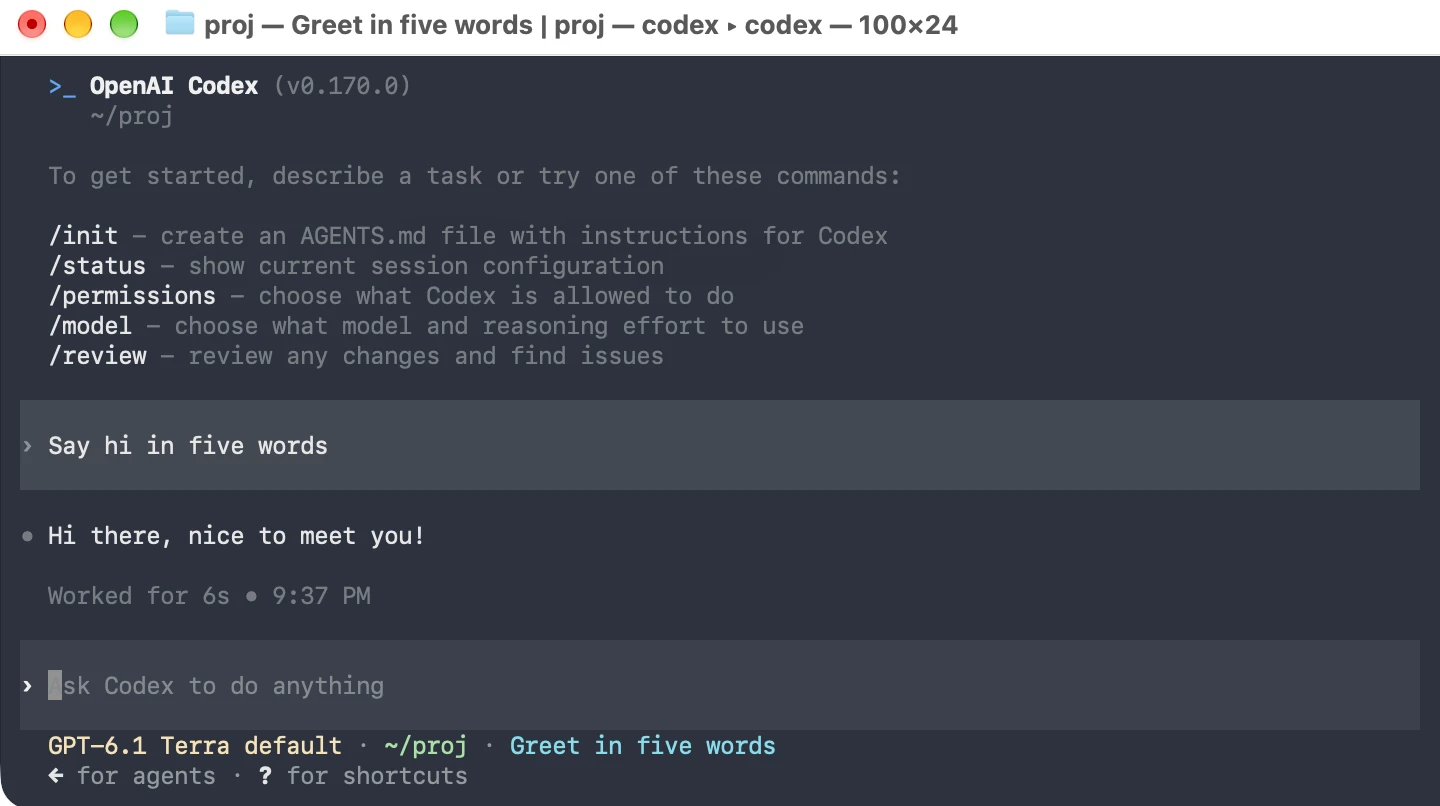
To verify that Codex sees your key, run codex doctor. The auth line should report provider auth env var CODINGPASS_API_KEY (present).
Quit the desktop app completely (⌘Q on macOS), reopen it, start a new session, and send a message.
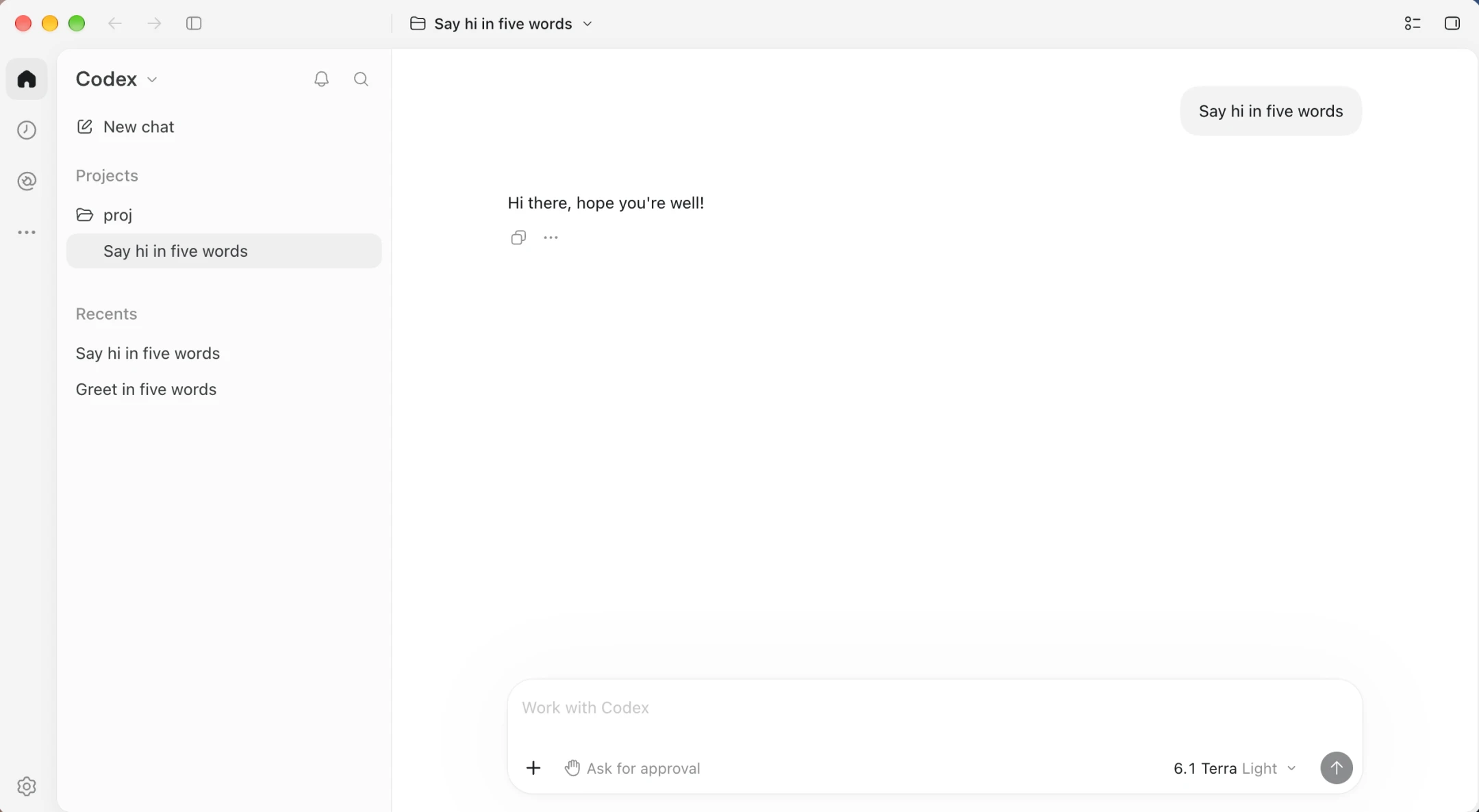
The model slot displays 6.1 Terra, followed by the reasoning effort such as Light.
In our testing, launching the app from the Dock picks up the key from ~/.zshrc. If it does not on your machine, replace the env_key line with experimental_bearer_token = "cp-live-…" and relaunch the app.
Whenever you edit config.toml later, restart codex in the terminal and quit and reopen the desktop app.
One provider block gets you GPT-6.1 Terra from