OpenCode Setup Guide
Provider configuration in opencode.json, model IDs by tier, and troubleshooting common errors.
Swapping Node.js and Playwright for a multi-megabyte Rust binary drops idle relay memory from hundreds of megabytes to a few. Handing your real logged-in browser to an agent still comes with trade-offs worth examining.
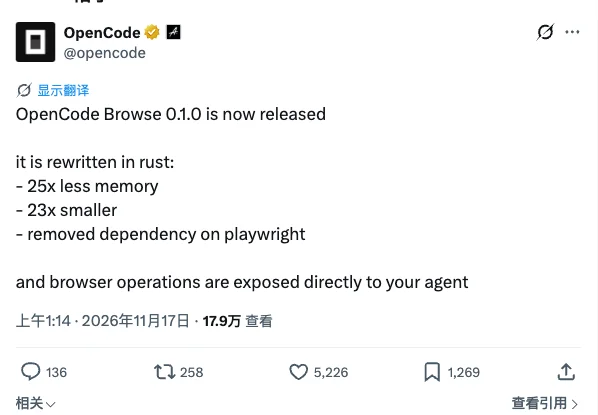
On November 17, the OpenCode team released OpenCode Browse 0.1.0. The CLI, local relay, and MCP server have been rewritten in Rust, dropping both Node.js and Playwright.
The headline numbers are straightforward: 25x less memory, a 23x smaller footprint, and browser operations exposed directly to your agent.
OpenCode Browse 0.1.0 replaces a heavy Node and Playwright runtime with a compact native Rust binary so coding agents can drive your actual browser. The relay itself now idles at a few megabytes, though Chrome still takes whatever RAM your tabs need—and giving an agent access to active logins means paying attention to permission boundaries.
Unlike headless-browser tools, OpenCode Browse pairs a local MCP server with a Chromium extension so agents work inside your everyday browser (Chrome, Edge, Brave, Arc, Helium, Vivaldi, Opera, or Chromium).
Agent tabs open in the background inside collapsed tab groups. When an agent hits a login screen, 2FA prompt, or payment flow, it hands the tab back to you and waits until you click Continue.
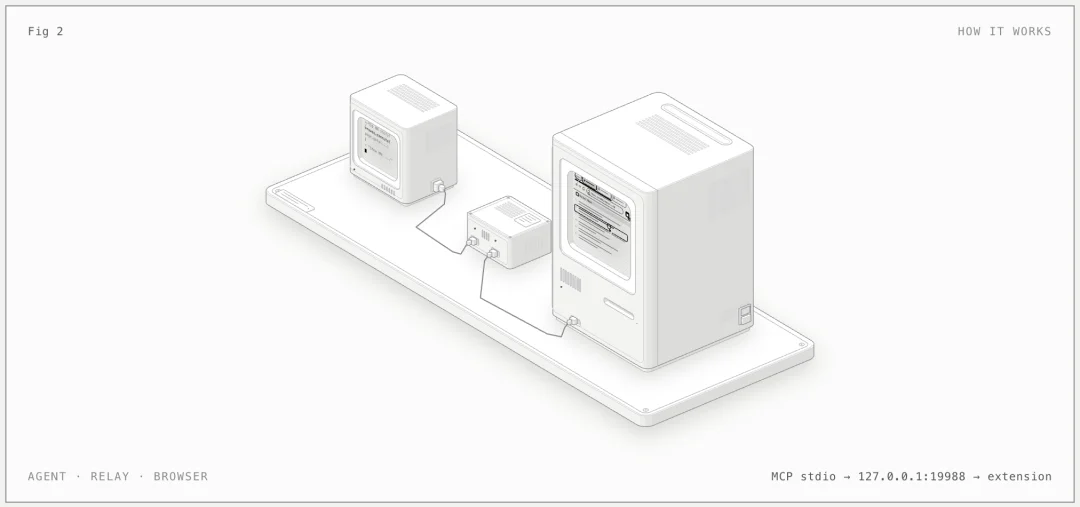
127.0.0.1:19988), and the extension executes commands over WebSocket via chrome.debugger. Image: anomalyco/browseBased on the v0.1.0 release notes, four architectural shifts define this release:
| Area | Before 0.1.0 | In 0.1.0 |
|---|---|---|
| Runtime & Dependencies | Node.js + Playwright; relay idled at hundreds of MB | Single native Rust binary of a few MB; idles at a few MB |
| Primary Handle | Session-based workflow | Sessions removed; tab IDs (tab) are the handle |
| OpenCode Tooling | Wrapped inside script execution | Direct plain tools (navigate, snapshot, click, fill, etc.) |
| Process Model | One instance per project directory | One shared browse relay across all OpenCode projects |
Setup is a single command that installs the binary, configures your MCP clients, and walks you through pairing the extension:
curl -fsSL https://opencode.ai/browse/install | bashDespite the name, browse install ships built-in config support for over 30 MCP clients, including Claude Code, Codex, Cursor, Windsurf, Cline, Zed, and Gemini CLI.
Architecturally, it follows the same playbook as Kimi WebBridge (the Kimi Browser Extension): a local relay paired with a Chromium extension driving chrome.debugger over MCP, so agents reuse your logged-in browser instead of spinning up a headless instance. OpenCode Browse 0.1.0 packages the relay and MCP server into a single Rust binary with embedded QuickJS, adds collapsed tab groups, Handoffs, and allowedOrigins guardrails, and stays purely an agent backend without adding a browser sidebar.
Cutting the relay's idle footprint from hundreds of megabytes down to a few megabytes is a real win for startup speed and background overhead.
That said, we think it is easy to misread that number as low total RAM usage. Browse drives your real Chrome instance. Once an agent starts opening tabs, capturing full-page screenshots, recording tabs, and logging network traffic, Chrome's renderer processes still dominate your machine's memory. What Rust buys you is zero Node/Playwright bloat in the middle layer.
A common point of confusion is seeing "removed dependency on playwright" in the announcement while the README still refers to a Playwright-style page API.
Both statements are accurate at different layers. Under the hood, Playwright and Node.js are completely gone—the Rust relay speaks the Chrome DevTools Protocol (CDP) directly to the extension. At the tool layer, non-OpenCode clients (such as Claude Code, Codex, and Cursor) receive an execute tool backed by an embedded QuickJS engine inside the relay. That sandbox exposes a Playwright-style page API (snapshot(), ref(), handoff()) so models already fluent in Playwright idioms work without relearning a new syntax. OpenCode itself uses Code Mode, so it gets plain browser tools directly.
The biggest frustration with headless browser automation is hitting login walls, CAPTCHAs, and bot checks—leaving you to manually take screenshots and paste them back into your agent chat. Using your real browser with existing sessions eliminates that friction.
At the same time, web pages and emails are untrusted input. When an agent operates inside a browser where you are signed into GitHub, cloud consoles, and work email, prompt injection hidden on a page could translate into real clicks.
In its security model, 0.1.0 puts solid guardrails in place:
127.0.0.1 only, checks a local token on every call, pairs via one-time codes with ECDH key exchange, and accepts only official extension IDs.chrome:// and file:// URLs. Cookie and storage access is scoped to the tab's own host.Even so, we would keep two caveats in mind: allowedOrigins and readOnly tab flags are opt-in, and the docs explicitly note that the QuickJS execute runtime is "sandboxed, not a boundary" ("Treat code an agent runs as code running as you"). For open-ended tasks, pass allowedOrigins or run Browse in a separate Chrome profile rather than your primary profile holding banking and production admin sessions.
Browse enables human-like input by default—curved mouse paths, paced typing, and gliding scrolls—to stay quiet against bot detection. That makes page interactions feel slightly slower than raw headless scripts. If you are testing local apps where stealth does not matter, set OPENCODE_BROWSER_HUMAN_INPUT=0 for full speed.
Two final notes: only Chromium-based browsers are supported today (no Firefox support yet), and spam lookalike extensions have already started appearing in the Chrome Web Store. Always install the extension via the Add to Chrome link on opencode.ai/product/browse or from the GitHub repository.
OpenCode Browse works with any MCP client. Connect CodingPass to OpenCode or Claude Code, metered at official API prices, cancel anytime.